Your Mac’s notch
Put to work.

See your day, control your music and keep files handy — all in one place, customised to suit you. Just 3 MB. No tracking. Pay once.
Every feature free for 14 days · Buy now or after your trial · No subscription
Watch the 20-ish second tour
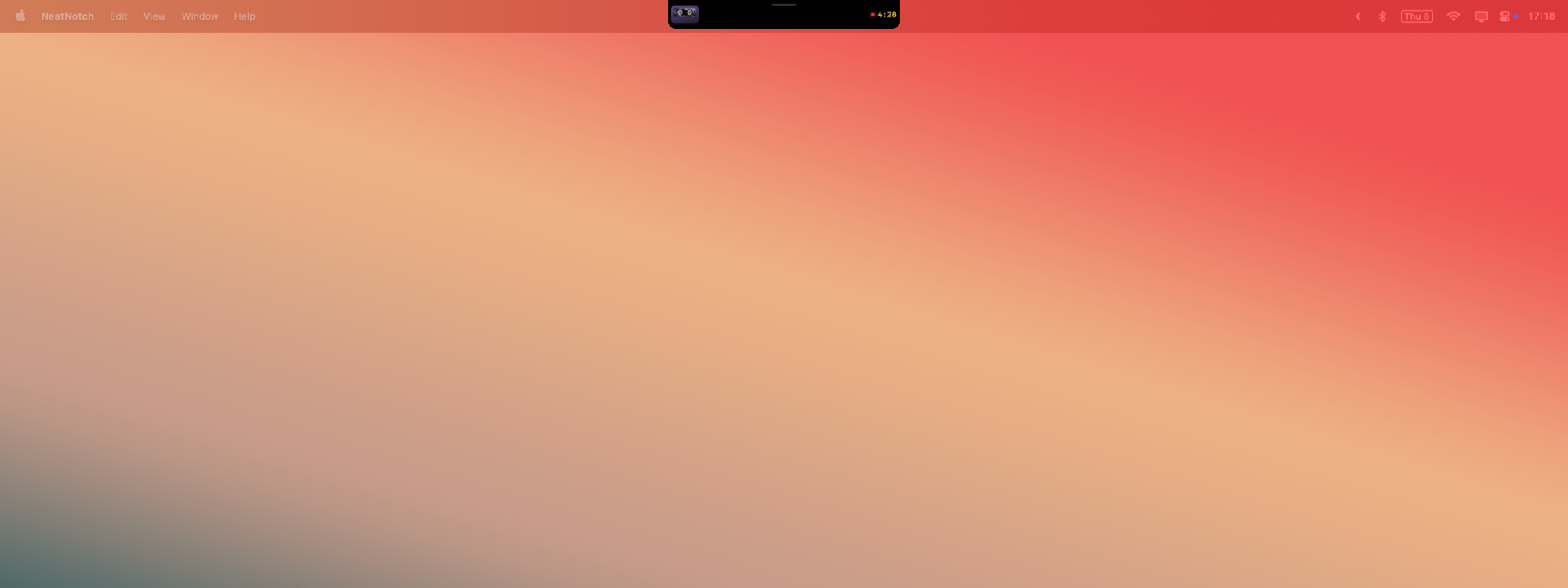
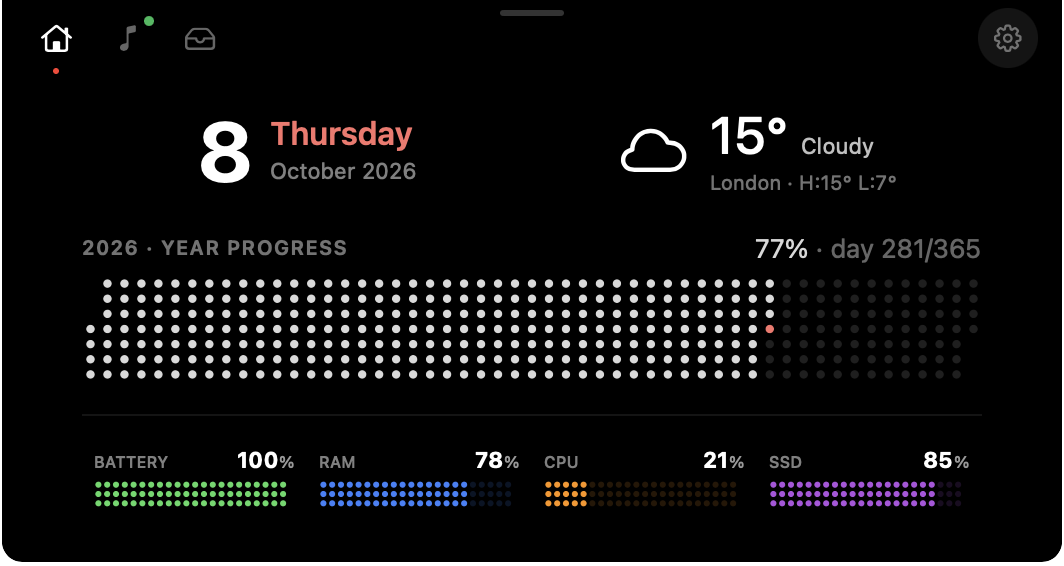
A Mac desktop with NeatNotch in the menu bar Home panel with date, weather, year progress and Mac stats
3 MB
to download. Smaller than most photos.
~90 MB
of memory, playing or not.
1–2%
CPU when it's sitting quietly.
0
analytics, trackers or data collected.

20-ish seconds, start to notch.

That's the whole video, and the whole setup

01

Download it free

Grab the 3 MB .dmg and drag NeatNotch into Applications. No account, no card.

02

Use everything for 14 days

Nothing is locked during the trial. Move your cursor to the top of the screen and it opens.

03

Buy now, or when you’re sure

Buy any time, even on day one. Paste the key from your email into Settings › License.

macOS 14.6 or later · Apple silicon · 3 MB .dmg

Sure, there are plenty of notch apps...But, any of them got a cassette deck?

Didn't think so. Your song loads onto a tape, the reels turn while it plays, and skipping swaps the cassette. Completely unnecessary. Ridiculously fun. And play, pause, next and previous are always one move of the cursor away.
Browser playersYouTube MusicApple MusicSpotify
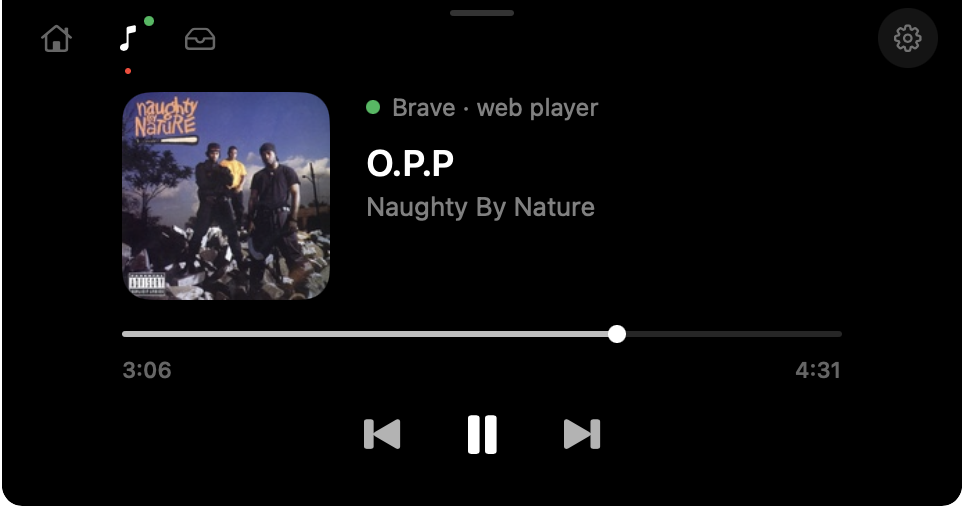
Classic player with album art
Prefer it plain?
Switch to the classic player — album art, a scrubber and big, simple buttons.

When it's closed, it barely whispers.

A closed notch just hints that music is playing. You choose how loud that hint is — down to a single blue dot.


Closed notch with spectrum analyser
Spectrum analyser
Bars that dance to the beat.
Closed notch with mini cassette and time remaining
Mini cassette
A tiny tape and the time left.
Closed notch with a single blue dot
Just a dot
For when you'd rather not see anything move.

Every widget is your call.

Today's date, the weather, how far through the year you are, and your Mac's battery, RAM, CPU and SSD. Show all of it, or just the one thing you actually check. Try a few:

Year progress
Mac stats style
Show only
Tabs position
Every day of the year as a dot. Today glows red.

A shelf for files in transit. It tidies itself.

Drag anything onto the notch to park it. Drag it out to Finder, Mail or Slack when you're ready. Whatever you forget about quietly clears itself, so the tray never becomes another Downloads folder.
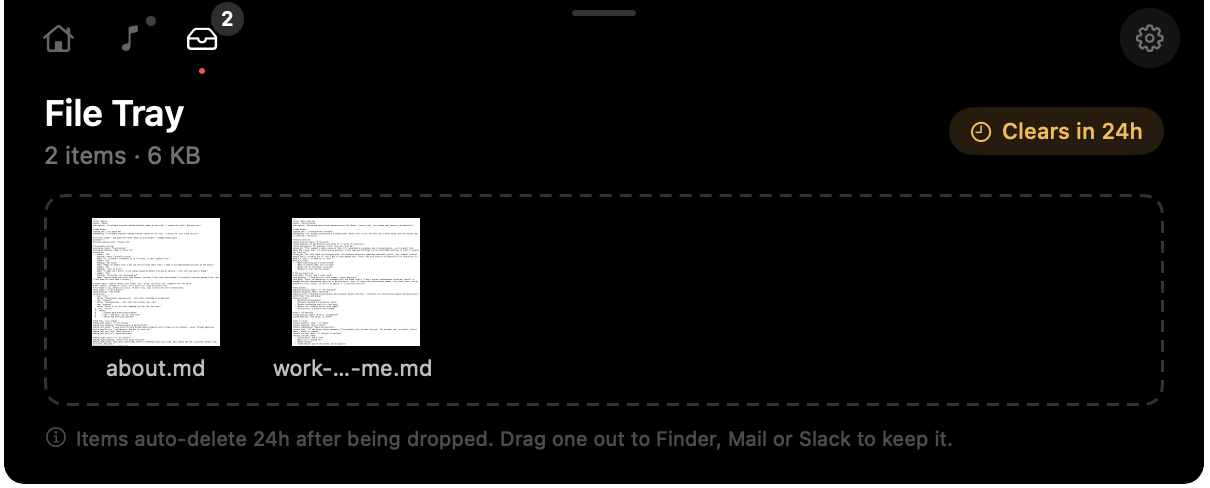
Auto-clear after Clears in 24h
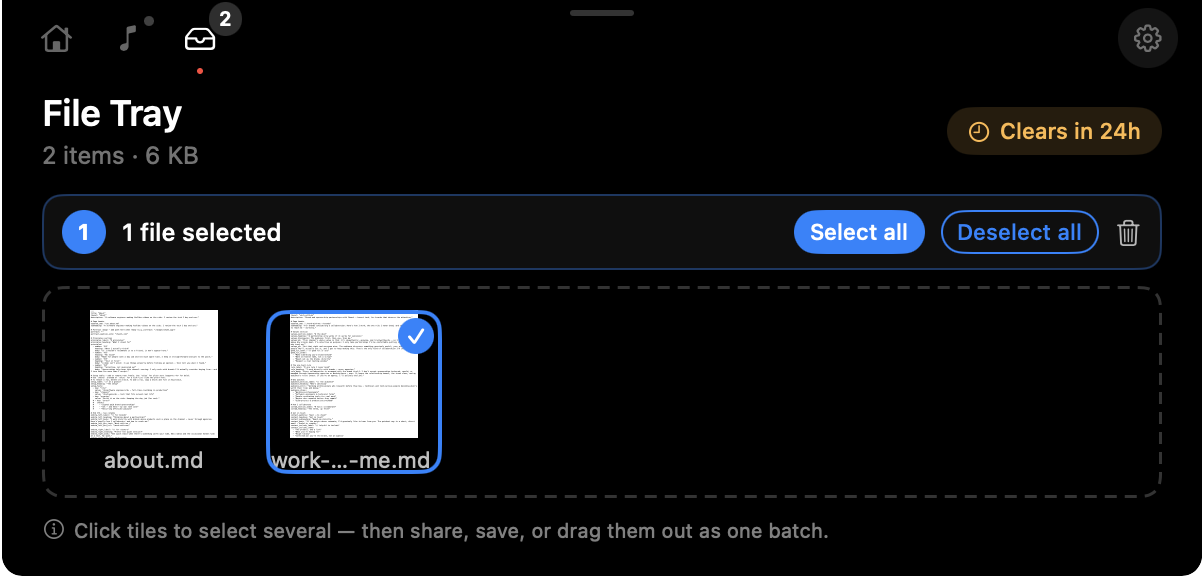
Select several tiles and drag them out as one batch.
File tray with two files File tray with one file selected

Written in Swift. Not a web browser in disguise.

Plenty of desktop apps ship a whole copy of Chrome under the hood. NeatNotch doesn't. It's a native Mac app, built in Swift, so it's small to download, light on memory and easy on your battery.

Download size
Each dot = 3 MB
NeatNotch
3 MB
A typical Electron app
~150 MB
Electron figure is a rough industry average for illustration, not a specific app.
3 MB

Smaller than a photo

Downloads in a blink and takes up next to nothing on your SSD.

~90 MB

Memory, playing or not

Leaves the RAM for the apps you actually opened.

1–2%

CPU when idle

Your fans stay quiet and your battery barely notices.

Swift

Native, top to bottom

No Electron, no web views pretending to be an app. It feels like part of macOS because it is.

Light on your Mac. Out of your business.

Featherweight

You'll forget it's running. Until you need it.

Download3 MB
Memory~90 MB
CPU, idle1–2%
CPU, music animating~30%

Private, full stop

No analytics. No tracking. No usage data. Everything runs locally on your Mac. The only thing we ever see is a license activation.

No notch? No problem.

Works on external monitors and on Macs without a notch. Pick your primary display in Settings › General and it appears right at the top.

Made for Apple silicon

Built for M1 and newer, running macOS 14.6 or later. One license covers up to three Macs, depending on the plan you pick.

Pay once. It's yours.

Buy now, or try it free for 14 days and buy later. Same app either way: one payment, two years of updates, no subscription.

Founding offer
Then regular: $19 / $24 / $29
1 Mac
For your main machine
$9 $19 one-time
Buy for $9 or try it free for 14 days
Home, Music & File tray
Two years of updates
Most popular
2 Macs
Laptop + desktop
$12 $24 one-time
Buy for $12 or try it free for 14 days
Everything in 1 Mac
Two years of updates
Use on two Macs
3 Macs
The whole setup
$15 $29 one-time
Buy for $15 or try it free for 14 days
Everything in 2 Macs
Two years of updates
Use on three Macs
Not ready to buy? Try it first.
Every feature, free for 14 days, no card. Buy whenever you're ready, here or inside the app. You pay the price that's active on the day you buy.
Download free trial
No subscription. Keep your last eligible version after the two-year update period.
Payments and license keys by Eight Megabytes Ltd, the company behind NeatNotch

Answers before you ask

How does the free trial work?
Download it and use the full app for 14 days. Nothing is locked, and there’s no account or card to enter. When the trial ends, buy a license to keep going. Your settings stay exactly as you left them.
Can I buy before my trial ends?
Yes, any time, even on day one. Buy here or from Settings › License in the app and your key arrives by email. You pay whichever price is active on the day you buy, so founding pricing only applies while it lasts.
Is there a subscription?
Nope. You pay once and NeatNotch is yours. That includes two years of updates, and after that you keep your last eligible version. Nothing stops working.
Which music apps does it work with?
Browser players (like Brave, Chrome or Safari), YouTube Music, Apple Music and Spotify.
What are the minimum requirements?
macOS 14.6 or later on an Apple silicon Mac (M1 or newer). Intel Macs aren’t supported.
Does it work with external monitors, or Macs without a notch?
Yes. Just pick your primary display in Settings › General and NeatNotch will appear at the top of that screen, notch or no notch.
Do you track usage or collect analytics?
Nope. The only thing we ever see is your license activation. No analytics, no usage data, no tracking. Everything else stays on your Mac.
How do I enter my license key?
After you buy, we’ll email you a license key. Open NeatNotch’s Settings, go to License, click Enter license in the Activation section, and paste it in.
Who is Eight Megabytes?
Eight Megabytes Ltd is the independent company that makes NeatNotch. Payments are processed and licenses are issued under that name, so you'll see Eight Megabytes on your receipt, your bank statement, and the email that carries your license key.
NeatNotch

Press play on your notch.

Try every feature free for 14 days, or buy now and skip the wait. Either way it's one payment. No subscription, ever.

macOS 14.6 or later · Apple silicon · 3 MB .dmg